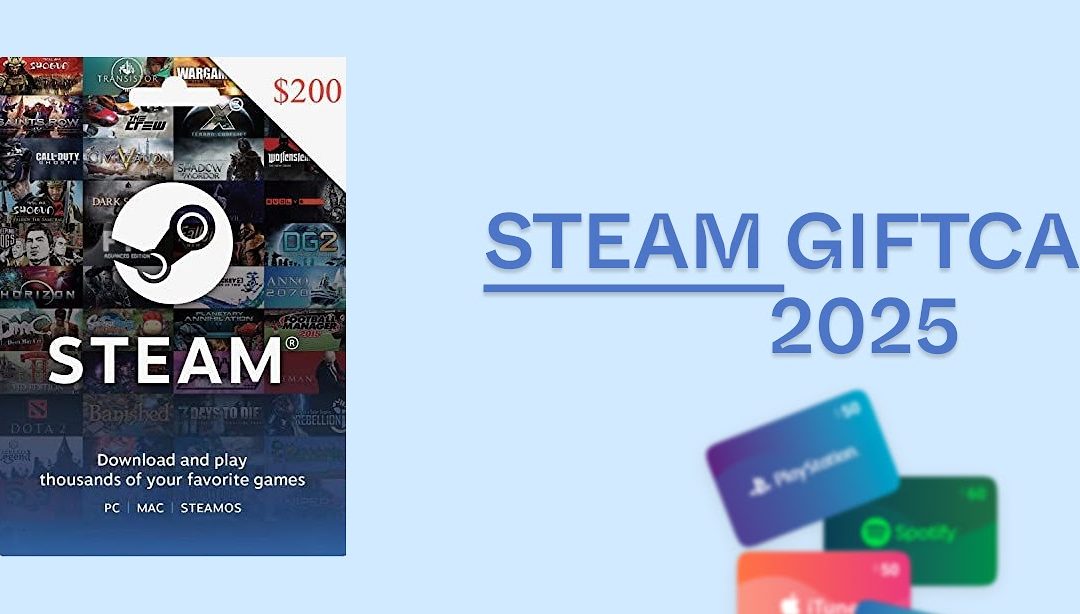
You finally sit down to unwind, open Steam, and try to redeem that shiny Steam gift card, only to get hit with an error message. If that sounds familiar, welcome to the club. Whether it’s a code from abroad or one you just purchased, getting a Steam card error when you’re ready to play is the digital equivalent of hitting a pothole with a fresh tire.
The good news? Most Steam gift card errors are solvable. And when they’re not, ValueSwap is here to offer a smooth, reliable alternative.
Let’s explore the most common Steam card errors and how to resolve them, without needing a degree in tech support or a bottle of paracetamol.
Steam Card Error 1 : Not Activated – The Card That Wasn’t Ready
Seeing “Not Activated” after redeeming your card is like being told your flight ticket hasn’t been confirmed—annoying, but fixable. Here is what it means, the card wasn’t properly activated at the point of sale.
What to do: If you bought it yourself, contact the store or retailer to activate it. If someone gifted it to you, kindly ask them to check with the seller. To avoid this hassle in the future, buy from reputable sources like ValueSwap, where activation issues are virtually nonexistent.
Steam Card Error 2: Invalid Code – When Zeros and Letters Plot Against You
An “Invalid Code” message is often caused by human error, maybe you mixed up an O with a 0 or an I with a 1. You’re not alone, so its Either the code was entered incorrectly or the card is genuinely faulty.
What to do: Double-check the characters. If the issue persists, reach out to Steam support. Better yet, use ValueSwap to trade your cards, no need to worry about sketchy codes or faulty redemptions.one tip that should be handy to you is that you should, Always copy and paste codes when possible to avoid manual errors.
Steam Card Error 3: Region Restrictions – When Geography Becomes the Villain
Here’s a common scenario: you bought or received a Steam gift card in the USA, but you’re now in Nigeria or Ghana and can’t redeem it. That’s a region restriction issue. The currency or region of the card doesn’t match your Steam account settings.
What to do: Sadly, there’s no direct way around this. Your best option is to trade the card on ValueSwap, get the cash, and purchase a locally accepted alternative. It’s safe, fast, and keeps your gaming dreams alive. Click here to trade region-locked Steam cards on ValueSwap
Steam Card Error 4 : Already Redeemed – The Plot Twist No One Asked For
You type in your Steam code and get told it’s already been used. Suddenly, you’re suspicious of the world, even your trusted card plug. So its either either the card has genuinely been redeemed before or someone accidentally gave you a duplicate or used code.
What to do: Check that you didn’t already redeem it yourself (yes, it happens). If not, contact the vendor. To avoid these awkward surprises altogether, stick with ValueSwap, where every card is verified before listing.
Steam Card Error 5: Temporary Server Problems
Sometimes, the problem isn’t yo, or the car, it’s Steam. Their servers might be overloaded or undergoing maintenance. It’s a Temporary glitche from Steam’s side, especially during high-traffic periods.
What to do: Take a short break, try again in a few minutes, and don’t worry too much. If the issue persists, contact Steam support.
Steam Card Error 6: Balance Not Reflecting – The Phantom Wallet Syndrome
Your card is redeemed, but your Steam wallet hasn’t updated. Confusing? Yes. Frustrating? Definitely. The system may be delayed in updating your balance or your transaction might not have completed properly.
What to do: Contact Steam’s support and provide the card details. Also, double-check that there are no hidden fees draining your balance. When trading Steam cards, platforms like ValueSwap offer quick, transparent transactions so you always know your money’s working for you.
What You Can Use a Steam Card For
Steam cards are more than just gaming gift cards—they’re digital currencies within one of the most powerful platforms for PC gamers worldwide. Whether you’re a hardcore gamer, a content creator, or simply someone who received a Steam card as a gift, knowing what you can actually use it for can help you unlock its full value. Below are the most common and practical ways to spend your Steam card balance:
1. Purchase Games on Steam
This is the most popular and straightforward use of a Steam card. Once redeemed, the value is added to your Steam Wallet, which you can use to buy any of the thousands of games available on the Steam platform. From blockbuster titles like Elden Ring, Cyberpunk 2077, and FIFA, to indie treasures like Stardew Valley or Hades, your options are endless.
Steam regularly updates its game library with new releases and trending titles. Whether you’re into FPS, strategy, RPGs, racing games, or simulation, your Steam Wallet gives you instant access—without the need for credit cards or PayPal.
2. Downloadable Content (DLCs) and In-Game Items
Many popular games offer add-ons and downloadable content (DLCs) that enhance your experience. This could include new levels, characters, story expansions, in-game currency, battle passes, or exclusive skins. Steam Wallet funds from your card can be used to purchase these extras with ease.
Games like The Sims 4, Call of Duty, Dota 2, and GTA V have extensive in-game purchase options that give players more customization, power, or progression. If you’re serious about fully enjoying your game, Steam cards let you invest directly into the titles you love.
3. Buy Software and Creative Tools
Steam isn’t just for games—it also hosts a wide range of professional software and digital tools. From video editing programs like VEGAS Pro to game development engines like RPG Maker or GameGuru, you can use your Steam Wallet to invest in your creative skills.
If you’re a YouTuber, Twitch streamer, digital artist, or aspiring game developer, your Steam card can help fund tools to build your brand, create content, or even launch your own indie game.
4. Gifting: Share Games and Cards with Friends
Steam cards are excellent gift options, especially if you’re unsure what game someone might want. Rather than guessing or picking the wrong title, gifting a Steam card allows your friend or family member to choose exactly what they want.
You can either send a digital Steam Wallet code or buy a physical card. They’re perfect for birthdays, holidays, or just as a surprise. Once received, the card can be redeemed into the recipient’s wallet instantly.
5. Maximize Value During Steam Sales
Steam is known for its legendary sales events—the Steam Summer Sale, Winter Sale, Black Friday, and others—where popular games drop to 50%, 70%, or even 90% off. This is where Steam cards shine the brightest.
If you plan ahead and preload your Steam Wallet using your card before these sales, you’ll be ready to grab hot deals the moment they go live. This not only saves money but also lets you build an impressive game library on a budget.
6. Trade smartly for Cash on ValueSwap)
A Steam card error doesn’t have to ruin your game plan, or your mood. With the right info and a reliable platform like ValueSwap, you can handle any card issue like a pro. Whether it’s a technical glitch or a region lock, remember: there’s always a solution, and usually, ValueSwap is part of it. Ready to trade smarter? click to here and make your gift cards work for you.
Frequently Asked Questions About Steam Card Errors
How long does Steam card activation take?
Usually instant, but some delays can occur with new accounts or during peak periods.
Can I redeem a Steam card offline?
No. You need a stable internet connection to redeem and validate the card.
Why does my Steam gift card say “invalid”?
Most likely due to inputting the code incorrectly or a problem with the card’s activation.
What should I do with a Steam gift card I can’t use?
Sell it to ValueSwap for instant cash and use the money to buy a region-compatible one or something even better.
Was this helpful?
Explore more smart gift card updates and reward hacks on our blog.
Why Gift Card Prices Drop and What You Can Do About It
How to Check Your Apple Gift Card Balance In Nigeria
How to Fix Common Vanilla Gift Card Errors
How to Activate and Use a Vanilla Gift Card
Vanilla Gift Card Expiration, Fees, and Hidden Charges